Beloved Ops:
michaelklann | Michael
BarkusT | Mark
jcoffman | Julian
hamsterboi96 | William
Berryjjohn | Joseph
c0debreaker | Jack
Fellow Users:
_cinderelly_ | Cindy
_saosin_ | Mitchell
4everemmy | Emma
amazingiq | Isabella
Andrew_Barton | Andrew
anklesneeze | Frank
BurzyT | Travis
c0debreaker | Jack
carapar634 | Colby
ClockEFFX | Levi
Deb_Frank | Debbie
dravencblack | Draven
drockdonet | Derek
Dust_Biter | Harold
explodingmoocow | Colin
Frank1_5 | Frank
Freescale | Brandon
giantsteven99 | Steven
gritz79 | Garret
harpersdad | Pete
ItEndsTonight | Abby
jcodyg87 | Cody
jhbonyai | Jacob
Joelarronleah | Leah
johnnyrancher719 | Johnny
JoshOwnsYou2 | Josh
jumiduss | Judah
kiwiswirl | Kenan
Meeb_the_Beeb | David
mikeyboy96 | Michael
mnmbakery | Michela
nerdheard12 | Jillian
nicqrocks | Nic
Nidetch | Matt
Phyllie | Phyllis
RAMFACE | Johnny
saulhaul | Jason
sugarpuffdango | Audrey
TheBleatingSheep | Rachel
ultrac3p0 | Ricky
varkuan | Logan
XwolftrainerX | Jordan
yaya9810 | Arianna
yoyoo22 | Marco
What is ZāvCraft?
We ask that all users on the Zāviam.com server please try to keep an eye on the news feed below regularly so that we ops can communicate with you. If you log on to the server and something looks goofy... please check here first to see if the issue is explained. If the server is down and you don't see a reason posted below, contact Michael and let him know!
So why this page?
Since the MineCraft Server engine doesn't have an efficient mechanism for communication between server administrators and the users, I've put this single page together to provide Zāviam users links to useful resources (to the left) like the latest 128 pixel Zāviam Texture Pak (now a resource pack) and to keep them informed of things like:
Technical Issues
Significant World Additions
Enhancements (like new or improved modded custom commands)
If anyone would like to begin a clone of this world as a Single Player game, the seed is: 5495926663615903873
Zāviam News Feed
2013-07-04 11:31PM ~ Flying is not gone... just taking a little break. Draven found a little bug. Not one that any of you would mind I'm sure though. It seems that if you picked up any XP while in flying mode, the increase in levels would frankly shock you. We've pulled it down until we can fix this little bug but it won't be gone for long... promise!
2013-07-03 11:06PM ~ AFTER DAYS OF MODDING, 1.6.1 IS READY as well as some swell new mods that have been a long time coming. More saved places and you to can fly... even though you aren't an op! WHAT? You can do it now. Want to go to someone else's saved place? That one's coming very soon. You won't know these cool new tricks unless you learn about them so read on!
Ever set your home in the Overworld and setloc in the Nether only to forget and try to /goloc from the Overworld? If you did, you may very well have found yourself getting dead. This was because our 'place' class was written irrespective of the dimension you were in when you saved it. This means that when you saved a home, it saved x, y and z but not whether you were in the Nether, Overworld or End. This also means that if you were in the Nether and tried to go to your home which was in the Overworld, our mod would simply send you to those x, y, z coordinates... but in the Nether... which could very well have left you standing in lava or falling from a ledge.
INTRODUCING /SETHOME & /SETLOC 2.0! Now, if you try to go to a loc that isn't in the dimension you are currently in, you'll be told so. Another cool thing is that you all now have 6 places you can save instead of just two (a home and a loc in each dimension). One thing to remember is that we didn't want to negate all your existing places so if you go to one that hasn't been saved under the new format, the game will still let you do it in the wrong dimension but it should remind you to resave it when you get there.
I know... you want to know about flying right? Well here's the deal. Certain OP commands, including a new command that lets you fly (called /fly & /nofly... go figure) are now available. As we test and make these commands available, we'll let you know here but here's a rundown of how fly works.
First, all players have a 'Security Level' between 1 and 9 and each special command will have a minimum level that lets you just use the command all the time. In other words, /fly is a level 8 command and ops are all level 9 so we can just use it (right now all standard players are level 1). We will figure out how best to use this scale of Security Level soon so lets get into how you all can fly right now!
The second parameter that select commands have assigned to them are a minimum XP level. Basically, if you have enough XP, you can use the command. /fly and /nofly require you to have 30 levels of XP to use it. Now before you go putting on your cape, you need to read this next part cause you might end up dead if you don't. For one thing, unlike creative, you are flying but you are not completely invincible at least no from attack damage. You can still get shot, blown up by a creeper as you fly by, etc. You won't take fall damage but you can get attacked.
The other thing to remember is that some commands (like /fly) will also have an XP cost as well as a 'duration' for that cost to be charged. In the case of flying, it has an XP cost of 1 Level and a Duration of 10 seconds. This means that when you type /fly, you start getting charged 1 Level of XP every 10 seconds until you type /nofly... WHETHER YOU ARE IN THE AIR OR NOT!!! During this time, you can use the spacebar and shift to fly as you would in creative but YOU NEED TO REMEMBER TO TYPE /nofly OR YOU WILL KEEP GETTING CHARGED XP UNTIL YOU ARE DOWN TO THE MINIMUM!!!
More to come but this is the deal right now. Stay tuned and please let Wil, Mark or I know if you find any bugs.
2013-05-31 8:35AM ~ WHEN 1.6 FINALLY COMES OUT... IT COULD TAKE A LITTLE LONGER THAT USUAL. As many of you know, horses, donkeys and mules are on the way with the next update... among other things. In addition to the game elements that you can see, there are rumblings of a new "attribute system" under the hood of the code that applies to all entities and items. What this will mean to y'all down the road is things like a bow that slows the holder, a helmet that buffs health, etc. (SWAG!) What it means to Mark and I is potentially an excrutiating re-write (again) of the mods we all know and love while tooling about ZāvLandia.
We'll try to get it cranked out as quickly as we can... promise! ~Your beloved Ops.
2013-05-22 9:32PM ~ GET 1.5.1 JAR TO CONNECT!!! I realized after talking with Draven this past Sunday that not everyone's bin folder has archived jars of all the older versions, making my instructions below useless. Since Travis posted on Facebook tonight that he had 1.5.2 and couldn't connect as well, I thought it was time to get you guys connected... especially since I don't think I'm going to get to updating the server until 1.6 comes out. If you've updated to 1.5.2 and cannot connect, YOU CAN GET 1.5.1 BY CLICKING HERE and saving the file over top of your minecraft.jar file in the bin folder. Instructions to get to this folder are outlined in the next post down dated 2013-05-04.
2013-05-4 9:36AM ~ ZAVIAM NOT 1.5.2 YET!!! There is a LOT going on over here and we've been burried. I didn't even realize this update had come out until this morning! We'll get to it as soon as we can but in the meantime, here's some help if you want to play this weekend BUT YOU ALREADY UPDATED and can't connect.
Open My Computer and type %appdata% in the address bar. You want to be inside a folder called Roaming in your AppData folder. In there, you can find a folder called .minecraft and then in that, one called "bin". You can also get to "bin" by opening Minecraft, going to textures and select Open Texture Folder. Go up one level and you'll see the bin folder.
Inside of bin are all the "jars" that are really running when you run minecraft from it's launcher (the icon you click on to start the game). When you update, minecraft automatically keeps all the old jars and names them whatever version number they were. The one you are currently running will just be called minecraft.jar. If you delete this one and then rename the 1.5.1 version to just "minecraft.jar", congrats... you've just rolled back one version. To go back to 1.5.2, just say yes to the update question you'll see. Pretty easy.
We'll get everything caught up as soon as we can. As I said, more going on over here than you know. Sorry for the delay.
2013-03-21 10:15AM ~ 1.5.1 Bug Fixes are out but we haven't updated server yet. Still, we've done some quick testing and it looks like you can safely update and still connect to our 1.5.0 server. Still, you probably won't see all of the benefits until we can have some time to roll our server up to 1.5.1.
2013-03-14 12:31AM ~ WE ARE LIVE WITH 1.5!!! All mods are in place including the new ones directly below. Please be aware that Wil and I did notice a handful of Severe crashes and some pretty significant lag, even playing a 1.5 stand-alone, single-player game on a reasonably beefy machine. Might have to live with some poor performance.
2013-03-12 12:10PM ~ /SendXP & /MyXP ARE LIVE AND REDSTONE UPDATE IS AROUND THE CORNER! As many of you know, /sendxp <playername> <amount> will allow you to give some of your experience to another player. Note a couple things. First, the command will cost you an extra 15 experience to use (just under one level if you are under level 17). Which brings us to our second point. You are NOT giving "XP Levels" (the number you see above your inventory) because levels equal different amounts of XP as you gain experience (Read more about Leveling Up here). When you /SendXP, you are sending individual "orbs" of XP. If you send someone who has zero levels 200 of your experience, they will end up with 12 levels. Giving the same amount of experience to a person who already has 26 Levels will bring them to around level 29, almost to 30... only adding about 3 levels. If you want to find out how much experience (as opposed to levels) you have, you can type /MyXP. This new command will show you how much actual experience you have.
The last thing to note about experience is what Mark and I would consider bad programming by our buddies over at Mojang. Sometimes, it's possible to get "levels" without ever increasing your actual "Experience Total". For example, if an Op gives you levels using our op command, you will NOT get any experience. You will have the levels but not the experience to back it up. This is simply sloppy programming but it is what it is. If you have 50 levels and typing /myxp shows you have zero experience, it has something to do with how you got the experience. Don't cry to us, just go on a mob hunt at Marco's Enderman farm.
WHICH BRINGS US TO THE LONG AWAITED REDSTONE UPDATE due later this week!!! REMEMBER: If you update your client before we update our server, you will NOT be able to connect. This is a MAJOR update. There are a lot of new features, blocks, bug fixes and goodies. The main things to remember are,
A) Redstone "timing" has been tweaked. Enough so that most machines that depend on timing will probably have to be adjusted. While this may be a pain, there are plenty of cool things that will make up for the inconvenience.
B) Textures have been COMPLETELY overhauled. Texture packs not made specifically for version 1.5 will NOT work correctly. We will have a new pack below. This new pack is more optimized so people who once couldn't run it may be able to now. Give it a try!
Here's a quick rundown of what is new. Might want to make this full screen so you can read the captions at the top.
2013-01-23 12:02AM ~ JUKEBOXES WILL ERASE CHUNKS! William and I just finished an exaustive replacement of several chunks that were essentially erased by simply breaking a Jukebox. From our best guess, this doesn't happen with every one so perhaps it has to do with orientation, elevation, time placed, etc. In ANY case, DO NOT REMOVE ANY JUKEBOXES FROM THE WORLD or you will have to live with the 16x16 hole that results when the chunk is reset. We will not be repeating the restore process that involves loading a backup of the world, navigating to the affected area (in the past), saving the old version of the chunk, dropping the server offline, loading the current world, finding the area again and trying to line up the saved chunk by hand and resaving. If you don't follow this advice until Minecraft fixes this bug, you will have to live with losing your stuff. Sorry for the trouble this causes.
2012-12-22 12:02PM ~ TEXTURE PACK NEAR FINISHED!!! New texture pack is almost ready for an official release so I'm going to change version numbers to reflect the version of MC that it supports. First three numbers will be MC version with my version following. Currently 1.4.6.1 so download below and have fun!
2012-12-21 12:56PM ~ NOW RUNNING VERSION 1.4.6!!! All mods are currently in place and the latest Zāviam Texture Pak will support the new stuff by the 22nd (almost done). The new pack will also have upgrades to much of the armor skins (leather is AWSOME) and a bunch of the items. A couple things like the Wither aren't completely done but we're getting close to an official release!
We are hoping to get the finishing touches on the "op powers based on xp" mods done but that is framework that just needs BarkusT to have some time to finish it up. We've both been burried at work so we're fortunate to have had time to keep up with MC updates. Stay tuned!
2012-10-29 11:24AM ~PLEASE take a few minutes to read this post!
Experiencing Lag? We hear you! While I'm not cinvinced it's not the latest update causing a lot of it, there are some things you all should know. When we were still 1.3.2, we made a significant improvment to the logging system related to our database which exludes logging pick-ups of indidental objects (dirt, cobble, sand, etc). This GREATLY reduced the number of processes going on, particularly when a person was mining... which is when we tracked there to be the highest drag on the server. This DID help and we heard from some players that lag had been eliminated completey.
We are now seeing a lot of lag again since the new update. This suggests that something in the new code base is putting good drains on performance but there is also user behavior involved. I have dropped the number of chunks I push out (likened to render distance in your clients) to 12 chunks down from 15 in an effort to compensate for whatever the lag is. While the problems could be client side, server side or both, there are some things we've noticed that may help. I do know some of this is being caused by stuff you guys all are doing. Please read on for the good of everyone's playing experience. I will also be posting a little note here soon about some server etiquette for some of our newer players. If this is your first time reading the feed here, please read some of the other links to the top-left and watch posts here on the News Feed. They are for the benefit of all of us sharing together in an upbuilding, Christian atmosphere with our friends. This is an exclusive server. If you are a member, it is because of your good reputation as a Christain, not because we found out your name from someone. Please respect that you have the privilege of playing with your brothers and sisters. But moving on to our "lag" discussion
HOW CAN I HELP WITH LAG? For starters, if you're getting a lot of lag, you can limit teleporting. TP'ing (i.e. /gohome and /goloc) puts pretty good performance spikes on the server for a few seconds. Basically, the game has to dump the chunk you're in + all the chunks you could potentially see from there (remember, 12 in all directions reduced from 15). It then has to load the chunk you are going to + all the chunks you could potentially see from there! If you're tp'ing only a short distance (i.e. the game doesn't have to load a different chunk) it's not a big drain. Going from your mine to your house above is virtually no drag at all.
We understand you want the new crops but please DON'T BLAST INTO UNCHARTED TERRITORY LOOKING FOR VILLAGES WITHOUT LETTING THE SERVER KEEP UP!!! This is probably the biggest drain on the system we've seen. Let's say you are in a previously rendered chunk. You've been standing there a little while so naturally, the +12 chunks all around you are also rendered because you can see them in all directions. FYI, a chunk is a 16x16 block area that goes from bedrock to sky. We have the game set to push out 12 chunks in all directions so you can see 12 times 16 blocks or 192 blocks in all directions. NOTE: Even if you have your "view distance" turned down... the server is still pushing out the 12 chunks in all directions!
But back to our story, you are right at the edge of previously unrendered space (it hasn't been created by the game yet at all) and you take a step from where you are into the next chunk over. The game now starts humping through hundreds of thousands of lines of code to figure out what should be in the brand new chunks that are 192 blocks away from you. It runs through code to see what the seed is, what biome it's attaching to, what biome it should or shouldn't be turning into, whether there's mines below or stuctures above, how should they be built, are there spawners, etc. It creates all this on the fly and starts storing it on our server's hard drives here so that when you finally get close enough to start seeing it in game, there is something there for you to see.
Now stick 4 or five advantagous explorers on the server at the same time who are all running into new territories and the server starts lagging big time. Add to that one, over-zealous Op who flies into new space and the server might be approaching a complete nervous breakdown ;~)
STOP AND SMELL THE ROSES. If you are exploring, take time to look around a little. Mine a little, build markers, collect some food, kill some animals, etc. EXPECIALLY if you (or anyone else on) starts getting a bunch of lag. Sure, it could be their underpowered computer but if you suspect the lag is server side (everyone is beginning to see it), take some time to let the server catch up.
NO RUNNING IN THE HALLS! If you're exploring new chunks, for goodness sake, explore it. Look for mines or caves along the way. Don't just blast off running in one direction looking for a village. The villages are out there. You'll find them eventually. This isn't the cornucopia in Hunger Games and it won't be the only village out there. If you want some seeds, ask around to see if you can trade for them. I KNOW for a fact some have been found already so others are currently growing them.
We'll keep you posted. Thanks for reading!
2012-10-24 11:24PM ~ NOW RUNNING VERSION 1.4.2!!! All mods are currently in place and the latest Zāviam Texture Pak supports all the new stuff. A couple things like the Wither and heads aren't completely done but it's just about 100%.
PLEASE NOTE: For the sake of not letting the subject matter of an otherwise awesome game get out of hand, we've decided to remove Witches from our server's game play. You will still find the huts in Jungle Biomes with all the loot in them for you to raid... they will just be vacant if you do find one.
2012-10-24 12:12PM ~ PRETTY SCARY UPDATE 1.4.2 IS OUT but we're not ready just yet. The MC Coder's pack was just released today and we will work as quickly as possible to get our mods in place and roll the server live. You can read more here and we'll let you know on this site when we are rolled live.
2012-10-05 12:18AM ~ THINGS YOU NEED TO KNOW about the upcoming "Pretty Scary" realease slated to come out around OCTOBER 24th. There are a LOT of changes coming. And I mean a LOT! Most notably new mobs like Bats and Withers (these things are meaner than snakes), Beacon Blocks and more! Left clicking on doors, windows, levers and buttons will go away (right click only please) and slimes will spawn in swamps in low light areas. Lots of new sounds. New foods for farming like Carrots (and Golden Carrots) and Potatos (also poisoned potatos & baked potatoes). You can use a Carrot with a Fishing Rod to lead saddled pigs around. New ways to build like Cobblestone Walls (standard and Mossy) will add to the landscape as well as Flower Pots and you will be able to decorate or mark the contents of chests with Item Frames.
This is going to be a HUGE update and I'm sure the Minecraft Coder's Pack guys are scrambling to keep up with the changes as the Snapshots come out. Remember that Mark (BarkusT) and I will keep our ears to the ground to bring you the update as soon as we can. If you update your client before we update our server, you will NOT be able to connect to us until we have had a chance to update all our code. We may decide to roll the new code live WITHOUT OUR MODS but this means no gohome or goloc, no day/night, etc. until we can catch up. WE WILL TELL YOU WHEN WE ARE UPDATED HERE and also on the "message of the day" that displays under our server name on the multiplayer menu.
2012-08-10 10:22AM ~ CUSTOM COMMANDS ARE BACK!!! Well, at least some of them. We now have /day, /night, /sethome, /gohome, /setloc and /goloc. Ops will enjoy some of their more notable conveniences as well.
2012-08-05 12:00AM ~ Enchanted Bows were AWARDED!!! Congradulations to: Berryjjohn, c0debreaker, ClockEFFX, giantsteven99, hamsterboi96, johnnyrancher719, Phyllie, RAMFACE, yoyoo22 and nicqrocks! Hope you all don't get too spoiled by only needing one arrow in your inventory to go MOB hunting. And before you ask, I don't care how accidental that dive into the lava was... I'm not replacing it when it's gone ;~)
Watch for more "award days". We'll try to keep it fun. Also, for those who may live deep within the "already generated" territorities of our world, don't worry... Villagers to trade with may be cropping up in places you may not have expected them before very soon.
2012-08-04 12:00AM ~ SATURDAY IS FREE ENCHANTED BOW DAY!!! Every player that logs on today will score a free bow, enchanted with everything you can get at the highest level! Just leave an empty slot in your player inventory. Your free bow will arrive on the 5th. If you don't leave a spot open, either you didn't read this or you don't want the coolest bow the game has to offer ;~)
2012-08-01 10:00PM ~ SERVER UPDATED to version 1.3.1 but NO MODS IN PLACE YET which means no custom commands like /gohome or /goloc. In a complete structural rework, they have deleted entire classes, consolodated many and created a TON! The good news is this is sure to improve performance. The bad news is it will take Mark and I a while to re-write our Mods to conform to the new paradigm. Please know we are working as quickly as we can to get the server back to what you all know and love. Watch the News Feed here for updates.
2012-06-27 11:00AM ~ IT'S RIGHT AROUND THE CORNER!!! This morning, a snapshot was released (you can find it here) that now only contains a couple, very small bugs. Those should be taken care of very soon. Another notable improvment is they have finally removed that annoying "downward knockback" when you are drowning that basically guarantees you'll die if you run out of air!
Guess I should get a move on finishing up those coaco beans in my texture pak!
2012-06-12 11:48AM ~ 1.3 UPDATE IS COMING!!! The new 1.3 update is on the way and we are working hard to be ready. New textures are being put in place so our texture pak is up to date and we are watching the decompiler site so we'll have a jump on modding our server as soon as the new update comes out. NOTE: If you haven't made an enchanting table library, you may want to do that since books will need leather to create them once the update comes out.
2012-04-15 07:43PM ~ 3 STRONGHOLDS ADDED!!! Since strongholds only generate a certain distance from spawn and our world has been around since long before strongholds, we were to never experience one in ZāvLandia. I managed to figure out where the three would have been in our world (based on our seed) and staked out the coordinates with a laddered shaft down to bedrock. I generated a new world and, with a little patience, singled out three, naturally occuring strongholds and saved each stronghold as a schematic. I then loaded our world into MCEdit and (after making sure I wouldn't wipe out anyone's mines or tunnels) pasted them into position and covered up the top with naturally occuring blocks. So there you have it! We now have three strongholds right where they're supposed to be and loaded with loot, mobs, Ender portals and all the other nightmares that are supposed to come with a stronghold. Enjoy!
2012-04-4 11:45PM ~ SERVER UPDATED to version 1.2.5 which is mostly bug fixes. Notable additions are shift-clicking in furnaces, cats are less "catty", etc.
2012-04-4 2:45PM ~ New update RELEASED BUT WE ARE NOT READY! Please be patient while we work on getting the mods in place. Remember, if you update your client, you won't be able to connect to our server until we are updated as well.
2012-03-25 10:45PM ~ 1.2.4 UPDATE IS LIVE!!! Mods in place and the latest texture pack supports new sandstones and wood textures.
2012-03-1 11:45AM ~ 1.2 IS POSTED AND LIVE!!! All of our Mods and custom commands are inplace. We had a bit of trouble with players getting "stuck" in the ground upon entering the world or after a gohome or goloc (i.e. teleporting). Please keep an eye out for anything out of the ordinary and tell BarkusT, michaelklann, hamsterboi96, jcoffman or BerryJJohn. Thanks!
2012-03-1 11:45AM ~ 1.2 RELEASED BUT WE ARE NOT READY JUST YET! Please be patient while BarkusT works on acquiring the newest version of MCP so we can get the server up to speed. Remember, if you update your client, you won't be able to connect to our server until we are updated as well.
2012-02-21 10:10AM ~ NEW CUSTOM CMDS!!! Like /sethome and /gohome, standard users can now save one more location to teleport to! Use /setloc to save where ever you are to your own "savedloc" and use /goloc (or /gl for short) to go there. [Remember, /gohome can also be shortened to /gh if you're in a jam (falling, burning, etc.)]
In addition to these new standard user commands, Ops can use /send <player> <place> to tp a player to another location.
As always, there's /chelp (custom help) or /ophelp (duh) to see a list of custome commands. There may be some you didn't realize were there... like ./setspawnpoint (instead of sleeping). ENJOY!!
Suplimental News Item: We did indeed update to 1.0 and then 1.1 and I never got around to posting it here.
2011-11-20 6:15PM ~ SERVER UPDATED TO 1.9! Remember you must patch yoru game again to continue using texture paks and the latest version of the Zāviam Texture Pak is about 99% v1.9 compatible. Keep in mind that it will take time for the MCP (Minecraft Coder Pack) for version 1.9 to come out. Therefore, there are NO CUSTOM COMMANDS such as /who, /sethome, /gohome, /day, /night. You will get them back soon (we want them beck as well!
2011-09-24 11:08PM ~ Does that "F" button seem unresponsive when you want the world to reload? Press F while holding F3 to change render distance (i.e. Fog) from farther to nearer. Also, F3+S will reload all web-loaded client resources. As updates come out, keep an eye on the Controls Wiki for changes.
2011-09-23 6:35PM ~ TEXTURE PAK UPDATE: Updated Diamond Armor skin mask. Made string a little more "organic", updated a handful of the armor icons and created a custom "panorama animation" for the title screen.
2011-09-19 4:04PM ~ Mark finally got ahold of a 1.8.1 decompiler so the custom commands such as /sethome and /gohome are back in. Enjoy!
2011-09-15 11:18PM ~ Just updated the server to 1.8.1 and it's a good thing. 1.8 was absolutely LOADED with bugs right off the bat. Double chests had to be emptied, picked up and re-placed to look normal. Rain would happen inside houses, etc. Don't forget if you use any texture paks to repatch your game using the Texture Patcher link. Also read several forums regarding Endermans messing up landscape, redstone, buildings, starting fires and floods, etc. I think that's going to be a deal breaker for many players and if you start seeing problems, let me know and I'll set monsters to "off" until they get that hot mess sorted out. I certainly don't need a mob messing all our structures up!
2011-09-14 9:58PM ~ Newest version of texture pak should support at least most of the new features of version 1.8. Having trouble finding where the elements to make the bow draw animation are but working on it.
2011-09-14 11:05AM ~ Server has been upgraded to version 1.8. All our custom commands are currently unavailable but your saved places will be in tact when they come back. Stand by for that update. NOTE: If you are using custom texture pak, you will need to get the UPDATED patcher (link above) and repatch the game. ALSO if you had used a pre-release of 1.8, you will need to rename the jar in the bin folder, redownload a fresh 1.8 and then patch. Instructions are on the Texture Patcher page.
2011-08-22 5:05PM ~ New commands added for setting a "home" point you can teleport to and also a way to set your spawn point without sleeping! /sethome will record your current position and /gohome will teleport you to that position. If you fall in lava and can type fast enough... you could just save all your stuff. Also, if you stand DIRECTLY next to a bed and type /setspawnpoint, your spawn point will be recorded without having to make everyone else on the server sleep. You must be next to a bed and the bed must remain there (just like regular spawn point rules) or you will respawn at world spawn.
2011-08-10 5:53PM ~ Thanks to BarkusT and a little JAVA magic, non-op players can now type /who to find out who's on but more than that... /day will set the time to 0 (beginning of day) and /night will set the time to 14000 (beginning of night).
PLEASE NOTE: If we find a lot of people not being considerate, we'll remove the functions. By not being considerate, we mean not letting others sleep to reset their spawn point, engaging in a /night-/day war back and forth, jumping the time radically back and forth and consequently freaking out the server, etc. Please use good judgement and remember this is a friendly server. Always perform a /who before changing the time and ask if the others online care. Some people may WANT it to be night. Bottom line is if everyone can't agree... NATURAL TIME PROGRESSION OF THE GAME SHOULD WIN OVER USING A DAY OR NIGHT COMMAND!!!
Thanks for your understanding.
2011-08-02 3:30PM ~ I am taking care of some updates that require some reboots. The server WILL BE BACK UP for your Tuesday evening pleasure.
2011-07-17 8:42PM ~ OVER 4000 DIAMONDS?: You have to see the screen shots to believe it (pic1, pic2, pic3, pic4) but BarkusT started chipping away at another chunk of diamonds to find that it was a solid cube 17x17x14 large! That's 4046 diamond ore blocks. He had to build a false floor just to continue mining them. This does two things... it makes BarkusT officially the richest person in Zāvlandia AND it injects so many diamonds into the economy, they are no longer the hottest commodity. Mark has said he's more than willing to share (within reason... he needs to build that diamond toilet he's been wanting) and will trade generously for other, more 'in demand' materials like slime and gold (although I think slimeballs are the new diamond).
2011-07-15 6:05PM ~ DEV SERVER IS UP!: Everyone is an OP and monsters are turned off. Click Here to learn more!!!
2011-07-15 4:54PM ~ HUGE DIAMOND CACHE FOUND: While I was at work with BarkusT, he jumps on for a minute to walk out of his mine and look at the new Creeper in the latest texture pak. On the way out (and with the newer, very distinguishable diamond ore squares in the pak), he notices a block of diamond on the way out of his existing mine. He chips it out and discovers a huge, one layer thick solid vein of diamond ore that is 11 deep! Total take was 120 diamonds in one shot. CLICK HERE FOR PROOF!!!
2011-07-10 8:40PM ~ FOUND SERVER LOCKED!: Log showed last activity was Varkuan logging off on 7/09 at 22:43, leaving jcoffman alone to create mad scientist things out of pistons and black magic. Server suffered a StackOverflowError at 23:22 on 7/09. I used MCEdit to move jcoffman out of the ground where I found him to a safe distance and nuked the area of confusion that was directly around where he was. Server then started successfully. If I have NOT corrected the problem, when jcoffman next logs on, the server may crash again. Please shoot me a text at 810 then 333 then 5151 to alert me that the server is down and I'll try to figure out further what is going on.
2011-07-08 2:00PM ~ CLIENT UPDATES WILL UNPATCH GAME!: Update 1.7.3 just came out today fixing several bugs. If using an HD texture pak (and definately when using the Zāviam Pak) the game will hang on load if you have updated your client to the latest version. Remember that when you download an update from Mojang, you must also reapply the MCPatcher.
2011-07-08 9:00AM ~ TEXTURE PAK UPDATE: Added "sticky" surface to piston (sticky and non sticky used to look the same) and fixed bug in transparent center of door that caused you to see a sort of "door edge" when looking in the middle window.
2011-07-07 8:30PM ~ ZāvCraft web page launched!
2011-07-06 9:00PM ~ SERVER ROLLED BACK TO BACKUP: Found server locked up when I tried to connect around 9PM and log showed it locked around 8:28. Rolled server back to 6PM backup. Any work done in the world between 6pm and and 8:29PM would have been lost.
Zāviam Resource Pak v1.6.1.1
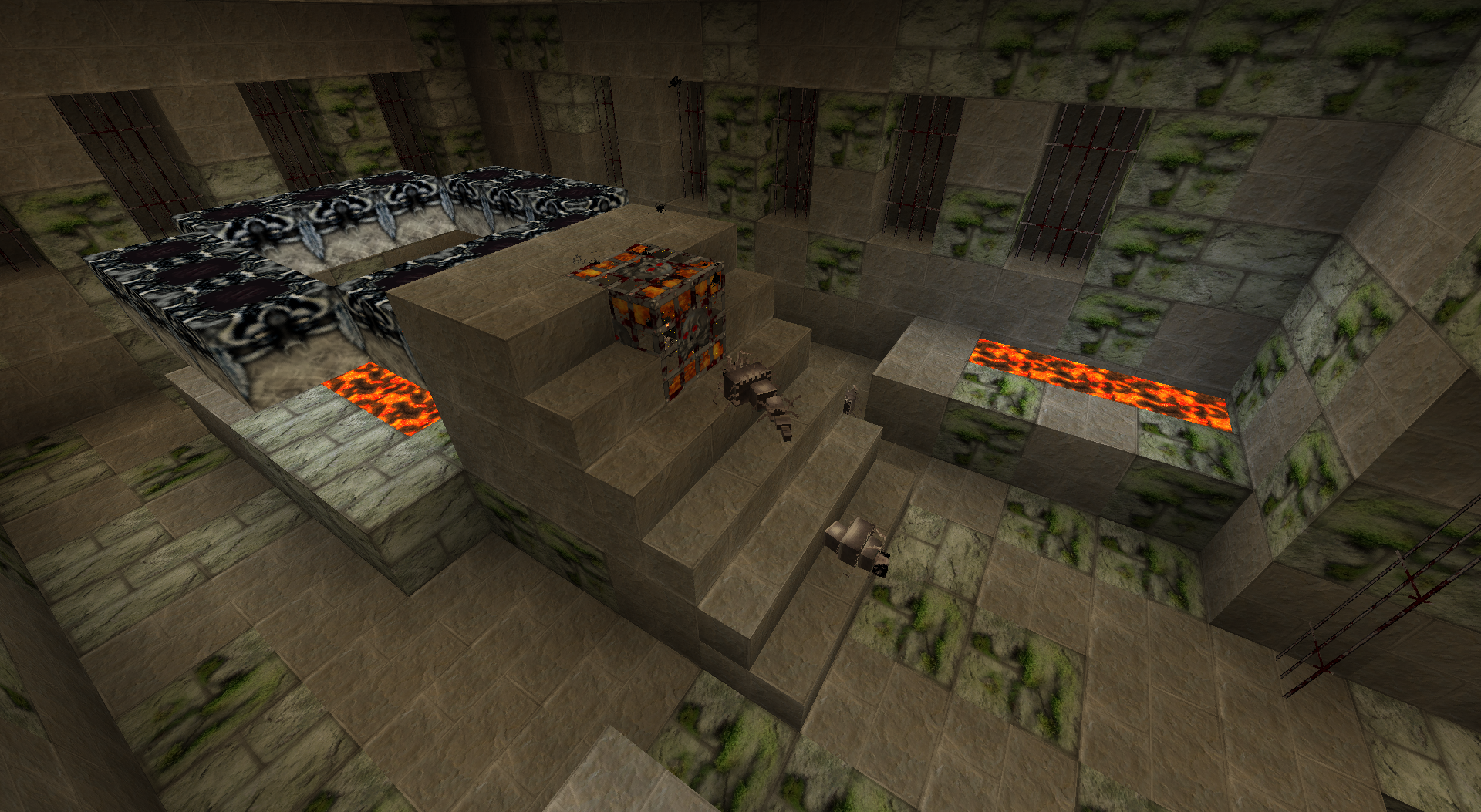
This is a 128 pixel photo realistic texture pak. Over a three year project that is almost done. Version numbers now reflect the Minecraft version supported followed by my version of the pack..The latest version supports MC 1.6 although I need still need to create the chiseled quartz blocks from 1.5 and all the horse stuff. Each update of Minecraft, I try to at least keep up with the stuff that is added, replace some things on the todo list and enhance something I already did (add animations, better graphics, etc)..
Download the latest Zāviam Resource Pak here. To properly use any HD texture pak, you must first apply the patcher mentioned in the following instructions.
1) Patch Minecraft with "MCPATCHER" (this will fix ALL the bugs related to "HD" Textures). You can
download MCPatcher here and follow the Instructions.
2) Copy the file ZaviamTexturePak_vX.XX.zip to your ".Minecraft/texturepacks" folder (dont extract it)
To find this folder:
launch Minecraft > Mods and Texture Packs > Open Texture Pack folder
or
Windows Start > Run (or search) and type %appdata%/.minecraft/texturepacks
3) Run Minecraft and Select the Pack in the "Mods & Texture Pack" menu
When you first select the pak, your Minecraft may seem to hang. This is becuase the Java heap is requesting more memory from the Operating system. Either wait (maybe forever) or close Minecraft and reopen. The pak should be loaded and should run.
If Minecraft will not load at all, You either did not have the Java heap size set high enough when you patched the game (you could try repatching and setting heap to 2048) or you don't have enough RAM to support the pak. Delete the texture pak out of your %appdata% folder (mentioned in the instructions) and MC should load fine with the default graphics.
NOTE: Numbers on squares are for my reference so I know where to find them in the texture pak to replace them.
KNOWN ISSUES: The crosshair is missing. This makes precise building a pain sometimes. This bug is high on my priority list.
Tech-Ez Dev Server
Wanna be an OP and be able to /give yourself everything you've ever wanted?
Wanna play mad scientist with pistons without the risk of dropping the live version of the Zāviam.com server?
Wanna experiment with things right out in the open at night with no mobs to bother you?
Want free reign to explore a new part of the world without having to worry about consequences?
THE TECH-EZ DEV SERVER IS HERE!
Sister server to Zāviam.com, BarkusT has put up a Dev server for us. He's taken a snapshot (7/15 6PM backup) of the existing world, Op'd all of the users and turned off monster spawning. Just connect to techez.dyndns.org and play away.
A couple things to remember:
1) If this server gets crashed, it will simply be reverted to a stable version of the world.
2) Don't be surprised if you come back and whatever you built is gone or hacked in half to restore stability of the world.
3) If you crash the Dev server (i.e. you do something, get disconnected and can't log back on), it is YOUR RESPONSIBILITY to contact Michael and let us know so we can get it back up as soon as possible.
4) Do whatever you want... just be respectful of other people's structures & things.
New Users
It would be nice to have our server continue to be a safe haven for clean fun and good association. Any of the friends who would like to be added to the White List, please contact Michael.
Moderation
This game is HORRIFICALLY addicting. Please try to keep your priorities straight. This is only a game and whatever you are building will be there when you log in next time. Sleep in the game resets your spawn point. Sleep in real life keeps you alive and sane.
 ZāvCraft has content